Deployments
Create Deployment (v2)
Recommended deployment flow with explicit users and webhook hooks
Why v2
- Cleaner user input (
ip_addressorgeo_coordinates). - Better structure for readiness/error webhooks.
- Recommended for new Unreal integrations.
Step 1 — Create the Deployment
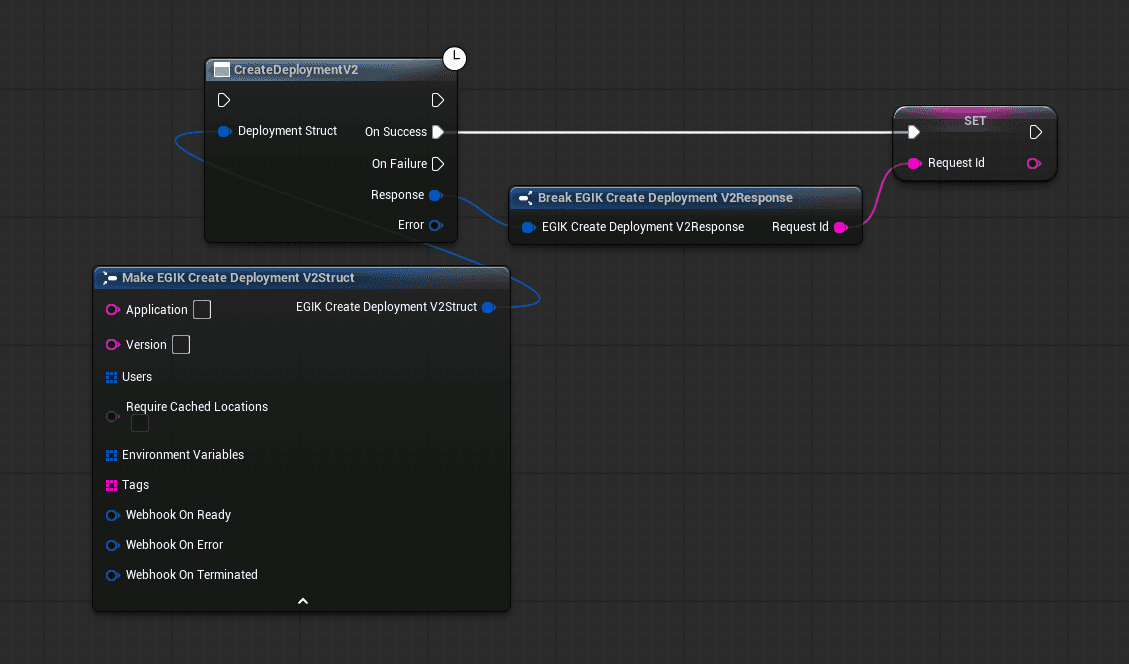
- Build a
FEGIK_CreateDeploymentV2Struct. - Set
ApplicationandVersionto match your Edgegap app. - Add at least one
FEGIK_DeploymentUser(IP address or geo coordinates). - Optionally set environment variables, tags, and webhooks.
- Call
CreateDeploymentV2. - On success, save the
RequestIdfrom the response — you need it for everything that follows.
Step 2 — Poll Status and Connect
Once you have the RequestId:
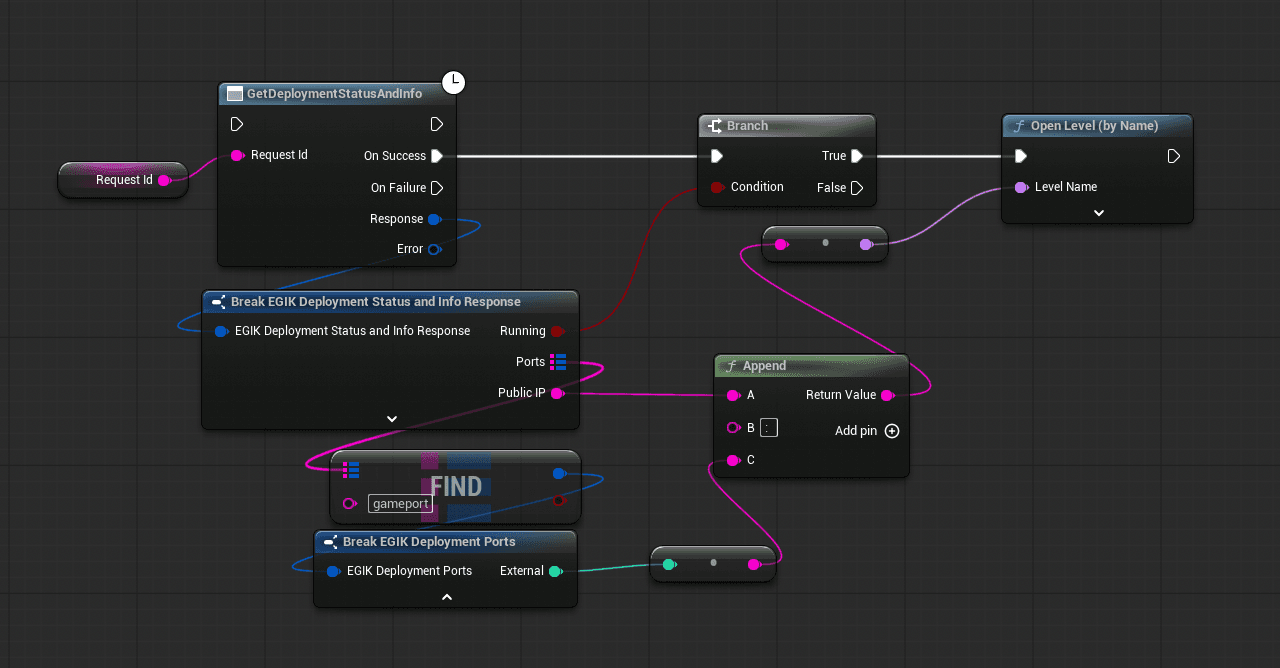
- Call
GetDeploymentStatusAndInfowith theRequestId. - Check
CurrentStatus— keep polling until the deployment is ready. - Read
FQDNandPortsfrom the response to build your connection address. - Use
GetContainerLogsandGetDeploymentMetricsto debug if something goes wrong.
Required Fields
ApplicationVersionUsers(at least one)
C++
#include "Deployments/EGIK_CreateDeploymentV2.h"

FEGIK_CreateDeploymentV2Struct Req;
Req.Application = TEXT("my-game-server");
Req.Version = TEXT("1.2.3");
Req.bRequireCachedLocations = false;

FEGIK_DeploymentUser U;
U.UserType = EEGIK_DeploymentUserType::IpAddress;
U.IpAddress = TEXT("8.8.8.8");
Req.Users.Add(U);

FEGIK_EnvironmentVariableStruct Env;
Env.Key = TEXT("MAP");
Env.Value = TEXT("Arena01");
Req.EnvironmentVariables.Add(Env);

auto* Node = UEGIK_CreateDeploymentV2::CreateDeploymentV2(Req);
Node->OnSuccess.AddDynamic(this, &UMySubsystem::OnDeploymentCreated);
Node->Activate();
Next
See Manage Deployments for stopping, logs, metrics, and bulk operations.